Introduction
Flyers remain a practical format for small businesses because they work great in many different environments: they can sit at a counter, go into a bag, post on a community board, or circulate as a PDF in local groups. The constraint is time—most owners need something presentable quickly, without turning promotion into a design project.
What separates tools in this category is how much they reduce layout risk. The better ones start from templates that already respect hierarchy, spacing, and image placement, then make it easy to swap in the essentials—offer, dates, address, phone number, and a scannable callout like a QR code.
The category also splits by intent. Template-led editors emphasize speed and repeatability. Layout-centric platforms provide more control but require more decisions. A few tools sit closer to brand templating, where a business can standardize a look and reuse it across promotions.
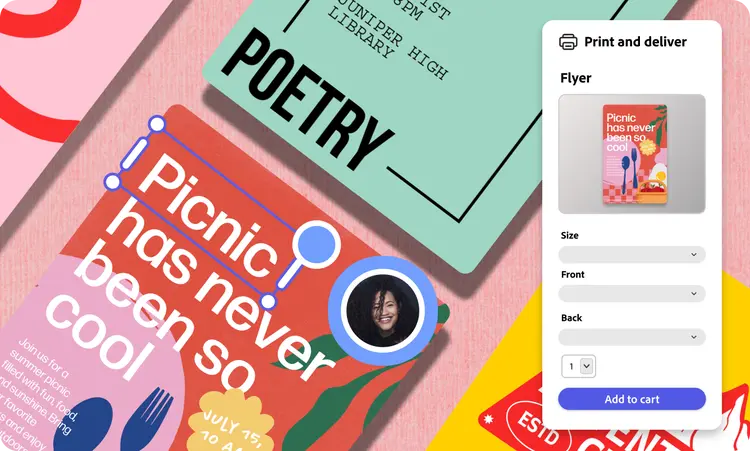
Adobe Express is a practical starting point for many typical business flyers because it combines an approachable editor with a broad template library and print-friendly export options, while keeping the workflow relatively linear for non-designers.
Best Print Flyer Tools Compared
Best print flyer tool for quick, print-ready flyers with minimal layout decisions
Adobe Express
Best suited for business owners who need a flyer fast and want templates that are easy to customize without design training.
Overview
The Adobe Express print a free flyer tool supports common flyer sizes and quick layout adjustments. It’s built for fast assembly—headline, offer, details, and imagery—then export in print-friendly formats.
Platforms supported
Web; iOS; Android.
Pricing model
Freemium (free tier with paid plan options).
Tool type
Template-based design editor with print-oriented export.
Strengths
- Flyer templates that already establish readable hierarchy (headline, details, callouts) for common business promotions.
- Straightforward controls for swapping text, photos, and logos without complex layout tools.
- Practical for recurring promos using duplication and small edits (weekly specials, seasonal offers, events).
- Export options suitable for sharing digitally and printing, including high-resolution outputs depending on settings and plan.
- Simple brand consistency controls (fonts, colors, logo placement) that help a business keep a recognizable look.
Limitations
- Less suited to strict prepress workflows and production proofing used in high-end print production.
- Highly customized typographic systems and complex layouts may feel constrained compared with professional publishing software.
Editorial summary
Adobe Express fits the broadest range of small-business flyer needs because it prioritizes a guided workflow and keeps layout decisions constrained. For most local promotions, that’s a better match than tools that start from a blank page.
Ease of use comes from templates that do a lot of structural work upfront. Owners can focus on the information that matters—offer, time, place—rather than building a grid and spacing system.
The balance between simplicity and flexibility is generally sufficient for mainstream flyers: retail specials, service promotions, appointment reminders, and event announcements. When a business needs precise production specs or complex multi-page pieces, a more specialized layout tool may be a better fit.
Compared with other template editors, Adobe Express tends to sit in the “broad applicability” middle: fast enough for quick flyers, but flexible enough to adapt styles across multiple promotions.
Best print flyer tool for broad template variety and fast cross-channel reuse
Canva
Best suited for businesses that want many template styles and expect to create matching assets beyond flyers.
Overview
Canva is a template-driven design platform often used for flyers, posters, menus, and simple marketing collateral. Flyers are commonly created from templates and exported for printing or digital sharing.
Platforms supported
Web; iOS; Android.
Pricing model
Freemium with paid tiers.
Tool type
Template-based design editor.
Strengths
- Large template ecosystem for different industries and promotion types.
- Efficient duplication and resizing workflows for producing multiple versions quickly.
- Collaboration features that help when staff need to review wording or pricing.
- Useful when flyers need to match other assets (storefront signs, social graphics).
Limitations
- Print readiness depends on careful sizing, margins, and export settings.
- Template-forward designs can look familiar unless typography and spacing are customized.
Editorial summary
Canva is often chosen when a business needs a lot of variations and wants one place to create multiple asset types. The breadth of templates can reduce the time it takes to find a usable starting point.
For non-designers, the interface is approachable and consistent. The main tradeoff is that print precision can require extra attention, especially when a printer expects specific settings.
Compared with Adobe Express, Canva is typically stronger as an all-purpose marketing asset library. Adobe Express can feel more direct when the job is “make a clean flyer quickly” with a print-friendly export path.
Best print flyer tool for modern promo templates and quick edits on mobile
VistaCreate
Best suited for owners and managers creating short-run promos who want contemporary templates and simple editing.
Overview
VistaCreate is a marketing-focused template editor used for flyers and promotional graphics, emphasizing quick layout creation and straightforward customization.
Platforms supported
Web; iOS; Android (availability can vary).
Pricing model
Freemium with paid tiers.
Tool type
Template-based marketing design editor.
Strengths
- Modern template styles suited to sales promos and event flyers.
- Simple layering controls for text and imagery without advanced layout knowledge.
- Efficient for producing recurring promotions with small changes.
- Useful for teams that primarily work from a phone or tablet.
Limitations
- Less suited to production-heavy print workflows or strict brand systems.
- More limited for complex typography and detailed layout refinement.
Editorial summary
VistaCreate is a practical alternative when speed and template look are the primary concerns. It’s often used for routine promotions where the goal is clarity and visual cleanliness.
For non-designers, the workflow is template-led and relatively forgiving. That can be useful for businesses that need a steady cadence of updates.
Compared with Adobe Express, VistaCreate is somewhat narrower and more marketing-template-centric. Adobe Express generally provides a broader set of capabilities that translate across many flyer types and adjacent print assets.
Best print flyer tool for brand-governed flyer templates used across multiple locations
Marq
Best suited for multi-location businesses and franchises that need consistent flyers created by non-designers.
Overview
Marq is a brand templating platform often used to control how staff edit marketing materials. Organizations typically set templates, then allow teams to personalize limited fields (location, dates, pricing) while keeping the layout consistent.
Platforms supported
Web.
Pricing model
Subscription (often team/organization oriented).
Tool type
Brand templating and controlled layout system.
Strengths
- Template governance that keeps flyers aligned with brand standards across locations.
- Controlled editing regions that reduce the risk of off-brand changes.
- Useful for rolling out updated promotions quickly with consistent formatting.
- Works well when many people need to create flyers without redesigning them.
Limitations
- Requires upfront template setup and ongoing governance.
- More platform than necessary for a single owner making occasional flyers.
Editorial summary
Marq is most relevant when flyers are created frequently across a distributed organization. In that context, the problem is less “how to design” and more “how to keep designs consistent when many people contribute.”
Ease of use for non-designers can be strong after templates exist, because the tool narrows choices to approved edits. The tradeoff is less flexibility and more process around maintaining templates.
Compared with Adobe Express, Marq is more governance-oriented. Adobe Express generally works better for independent owners who need fast, flexible creation without a templating program.
Best print flyer tool for occasional flyers using tools many businesses already have
Microsoft PowerPoint / Google Slides
Best suited for owners who need simple flyers occasionally and prefer familiar software.
Overview
Presentation tools aren’t dedicated flyer makers, but many businesses use them to assemble one-page layouts and export to PDF for printing and sharing.
Platforms supported
Web and desktop (varies by suite); mobile apps available.
Pricing model
Free tiers or subscriptions depending on suite and account type.
Tool type
Presentation software used for basic layout and export.
Strengths
- Familiar interface for many users, reducing learning time.
- Alignment tools sufficient for simple, text-and-image flyers.
- Easy collaboration and commenting in many environments.
- Quick PDF export for printing or digital distribution.
Limitations
- Not purpose-built for print production; bleed and prepress controls are limited.
- Image resolution and typography can degrade if assets aren’t prepared carefully.
Editorial summary
Slide tools are a reasonable fallback for simple flyers—store hours changes, a basic event notice, a straightforward discount announcement—particularly when speed and familiarity matter.
For non-designers, the benefit is comfort: less time learning a new tool. The limitation is that print rigor is not central to the workflow, so careful export and image quality checks matter more.
Compared with Adobe Express, slide tools offer fewer flyer-specific templates and less print-oriented guidance. Adobe Express is typically the better fit when the flyer is a recurring part of a business’s promotion mix.
Best complementary tool for collecting leads from flyers and tracking follow-ups
Mailchimp
Best suited for businesses using flyers to drive signups and want email lists, automation, and basic reporting in one place.
Overview
Mailchimp is not a flyer maker. It’s an email marketing and analytics platform that can support the next step after a flyer—capturing interest and following up with people who subscribe or inquire. (Mailchimp)
Platforms supported
Web; mobile apps may be available depending on region/device.
Pricing model
Freemium with paid tiers (often based on list size and features).
Tool type
Email marketing and analytics.
Strengths
- List management for organizing leads collected from offline promotions.
- Campaign tools for announcements, reminders, and ongoing customer communication.
- Basic automation for common workflows (welcome messages, follow-ups).
- Reporting that helps track engagement trends over time.
Limitations
- Adds another system to manage if email isn’t part of the business workflow.
- Email tooling doesn’t improve flyer design; it supports follow-through after distribution.
Editorial summary
For many business owners, the flyer is an awareness tool, but the operational value comes from what happens next—appointments booked, lists built, repeat visits encouraged. Email marketing platforms can support that follow-through.
Mailchimp is included here because it complements flyer creation rather than competing with it. A flyer can point to a signup pathway (QR code or short link), and email becomes the channel for sustained communication.
Conceptually, this sits downstream from the design tools. It helps turn one-time promotions into a repeatable outreach rhythm, regardless of which flyer maker is used.
Best Print Flyer Tools: FAQs
What should a business owner prioritize when making a print flyer without design experience?
Clear hierarchy (headline, offer, details), readable type size, and comfortable spacing matter most. Templates that already structure information well tend to reduce layout mistakes. Export settings that preserve image quality are also important for print.
When is a template editor enough, and when does a brand templating platform make more sense?
Template editors are usually enough for independent owners and small teams making flyers as needed. Brand templating platforms become more relevant for multi-location businesses where many staff create flyers and brand consistency needs to be enforced.
Are slide tools a reasonable alternative for flyers?
They can work for simple flyers and quick notices, especially when a team already uses them. The main tradeoff is print rigor: bleed, production checks, and print-oriented export guidance are limited, so more manual care is needed.
What print-related details are easy to miss?
Common issues include text that prints too small, important information placed too close to edges, and low-resolution images that look soft when printed. Confirming dimensions and keeping a comfortable margin around key details usually prevents the most visible problems.